 Tubun Agent
From the right context
to work you can follow.
Your knowledge is part of the process.
Register the knowledge a task needs, choose how each decision is made, and keep the source and result in view.
Skills that arrive with the task.
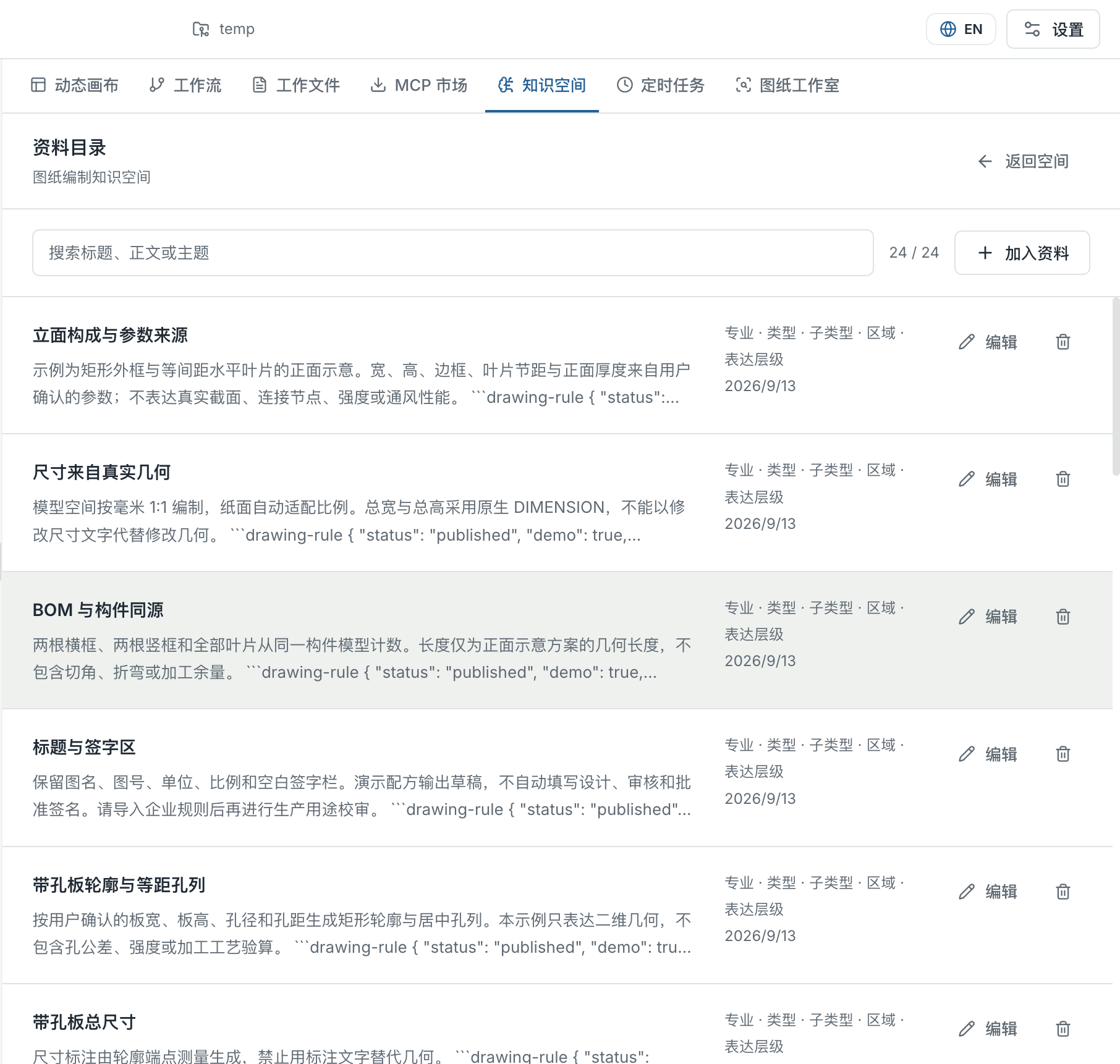
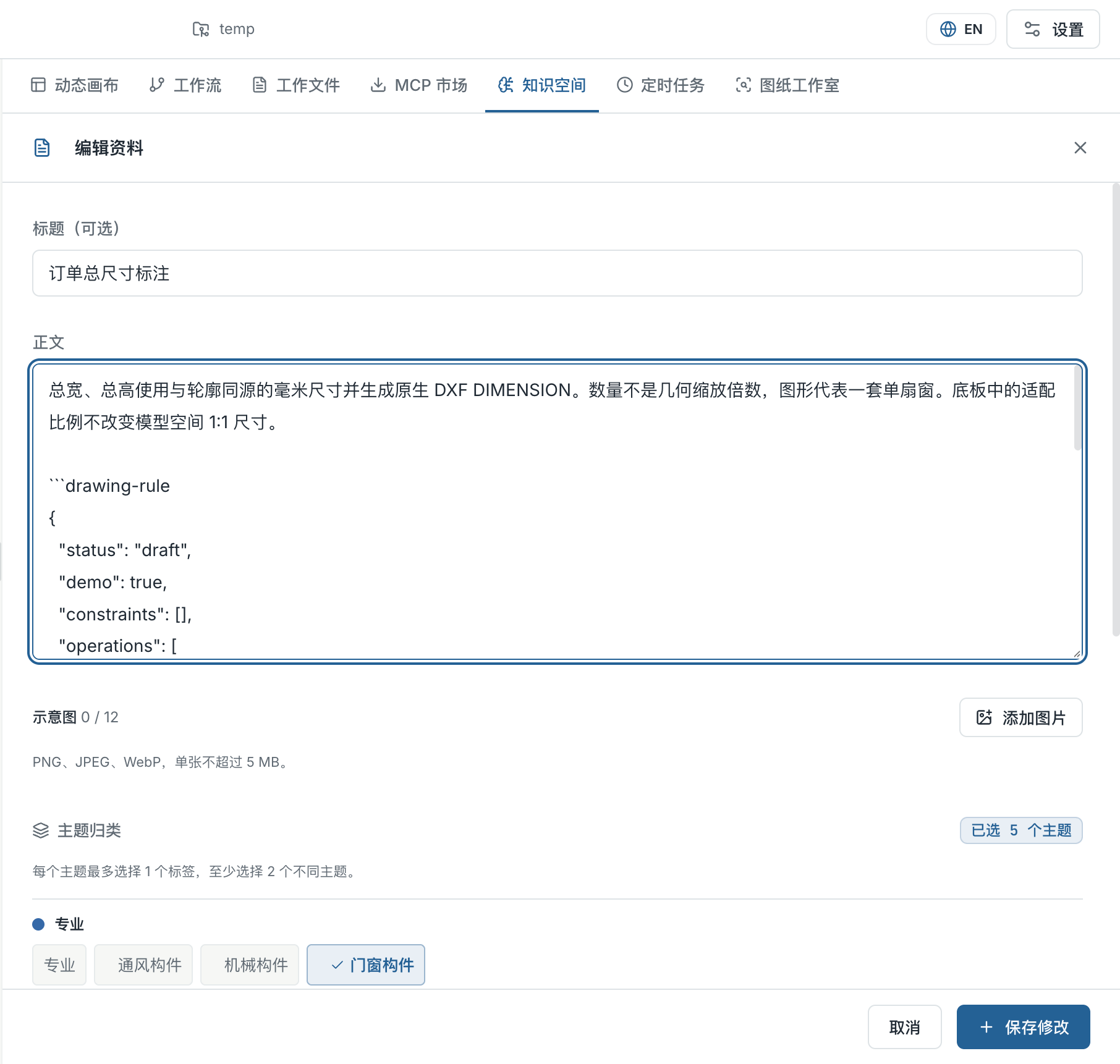
Keep skills, procedures and visual references in connected knowledge spaces. The agent reads the map first, then loads relevant text and images as the task develops. Register and update knowledge without packing every skill into one permanent prompt.
Explore knowledge spaces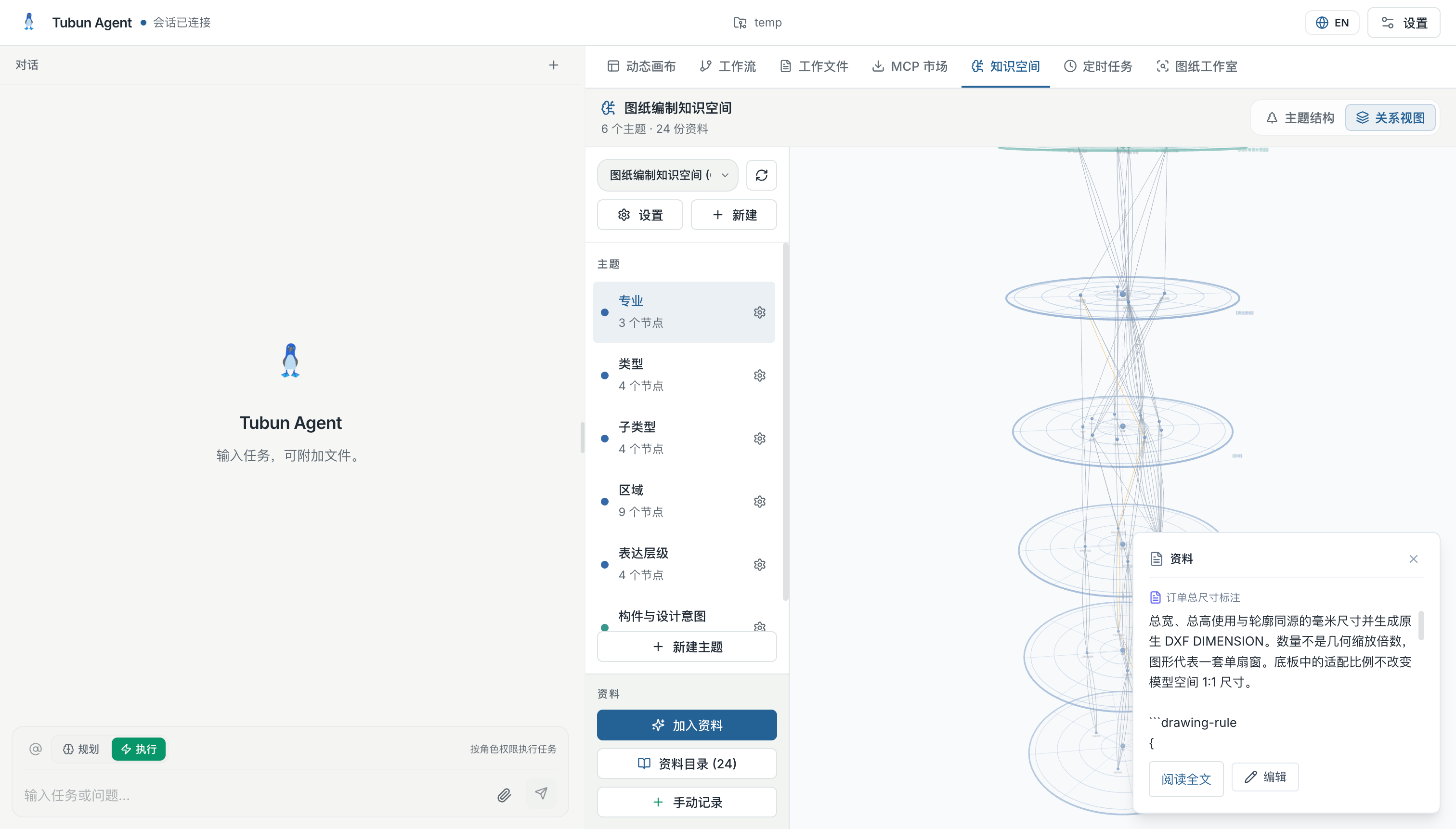
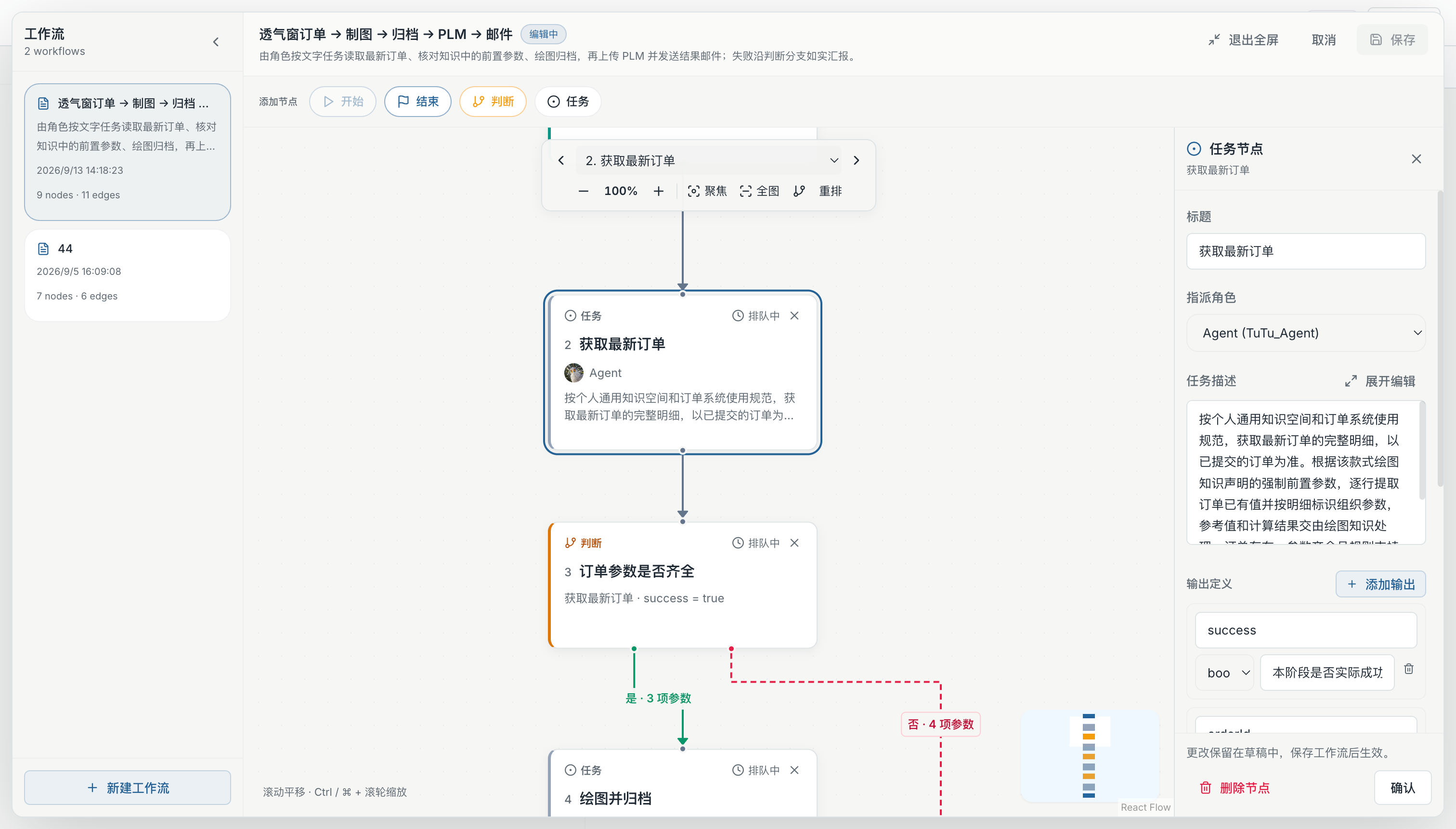
Software and hardware. One flow.
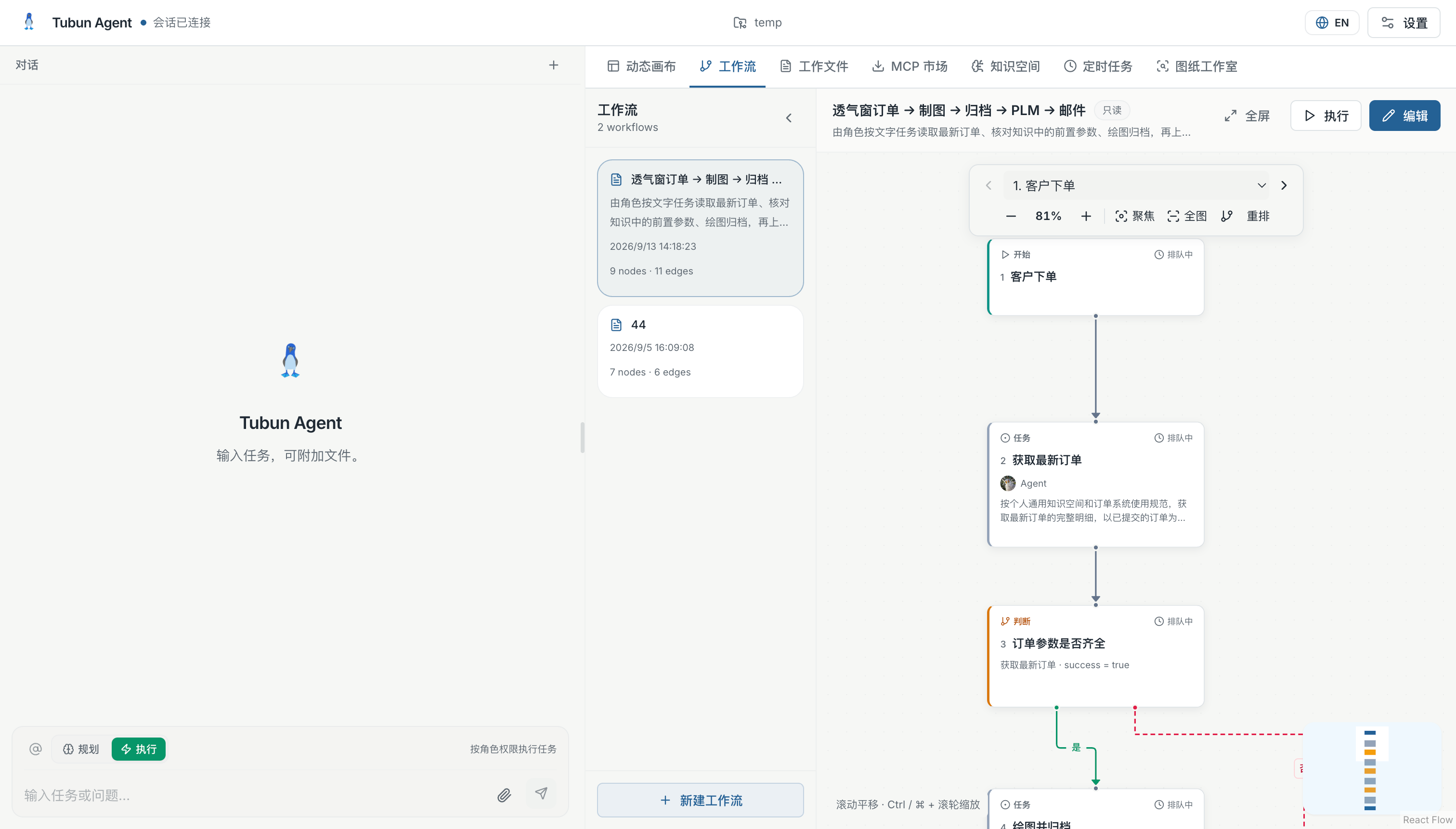
Connect business systems and equipment gateways through HTTP, MQTT and RabbitMQ. Map incoming events to tasks, share structured results between steps and return the outcome through a configured connection.
Device access is configured and tested for each environment.
Explore connected workflowsThe right decision, at each step.
Use Laya fast decisions for intent classification, condition checks for exact rules, and language models for reasoning. Bring these modes together with agent tasks in a visible workflow, including the route for missing information.
Inspect an actual run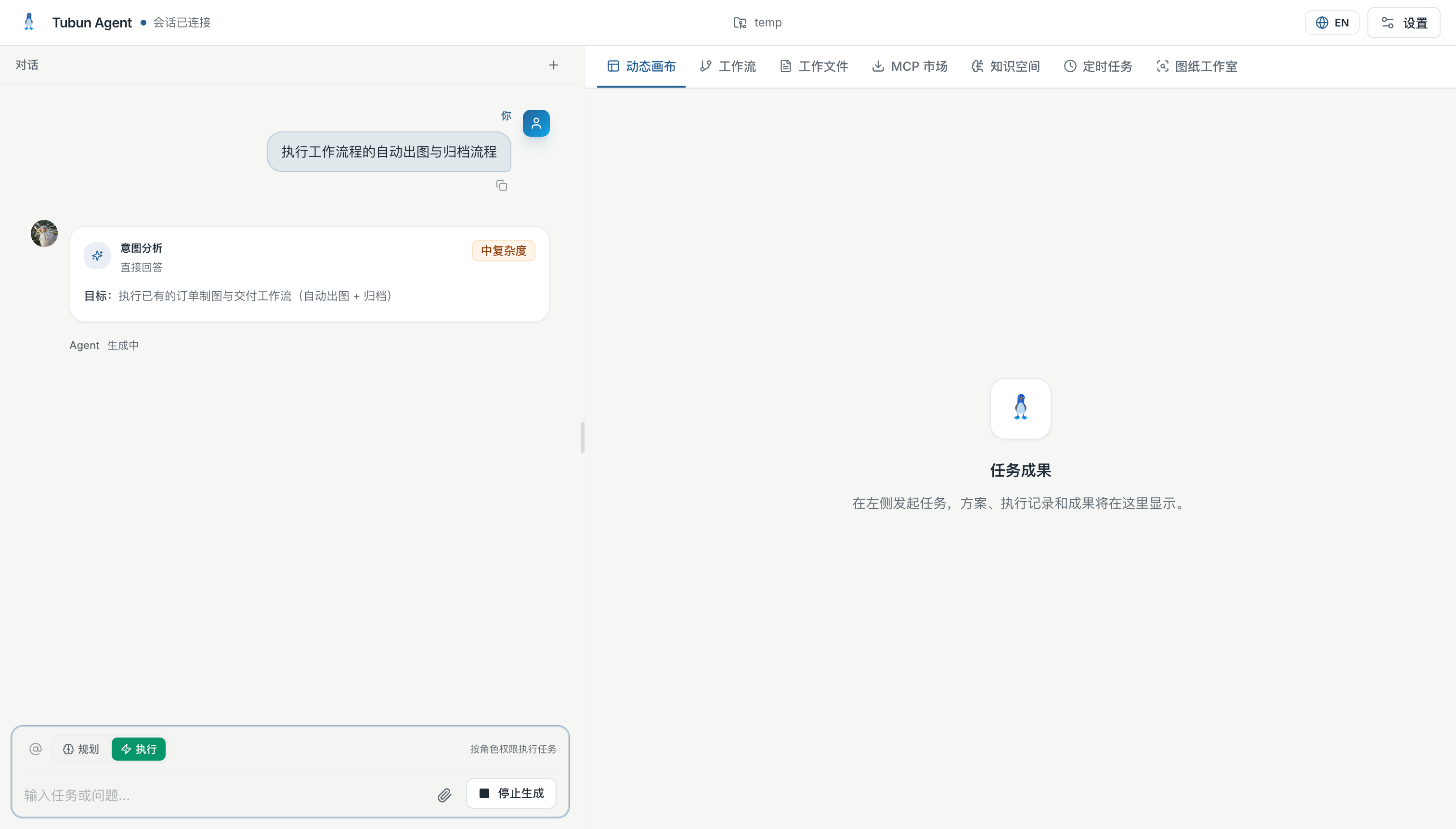
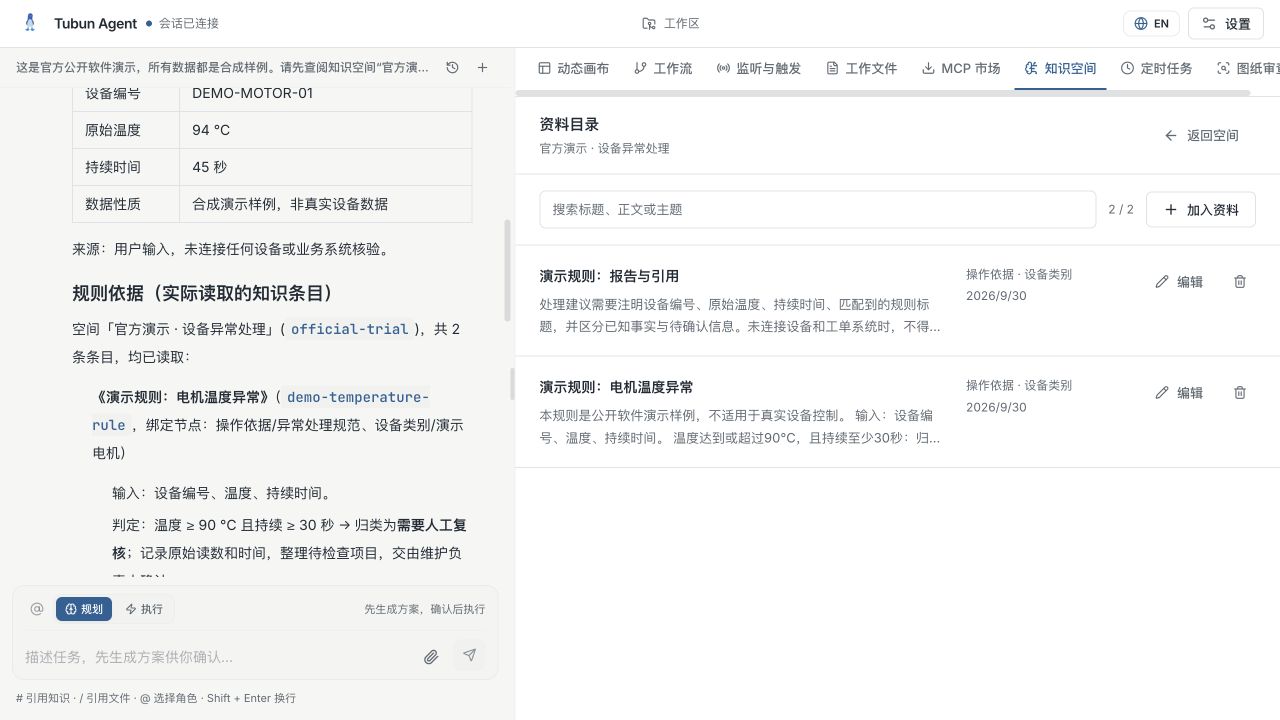
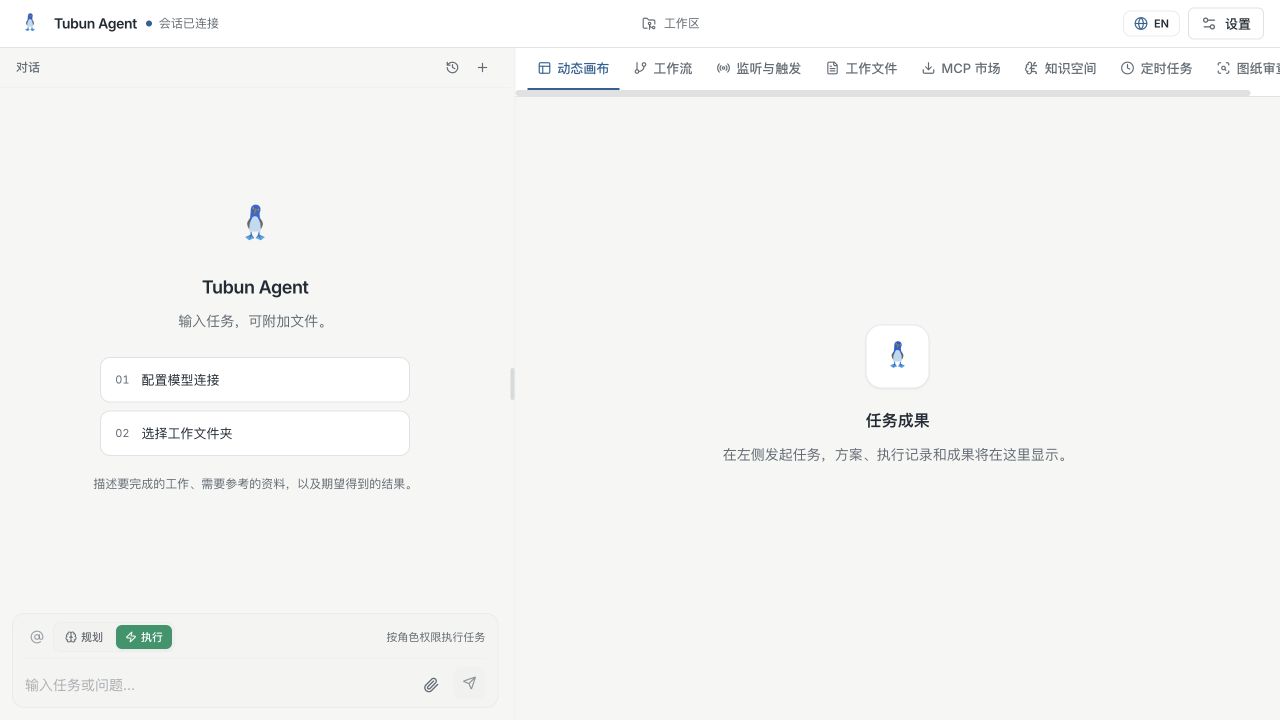
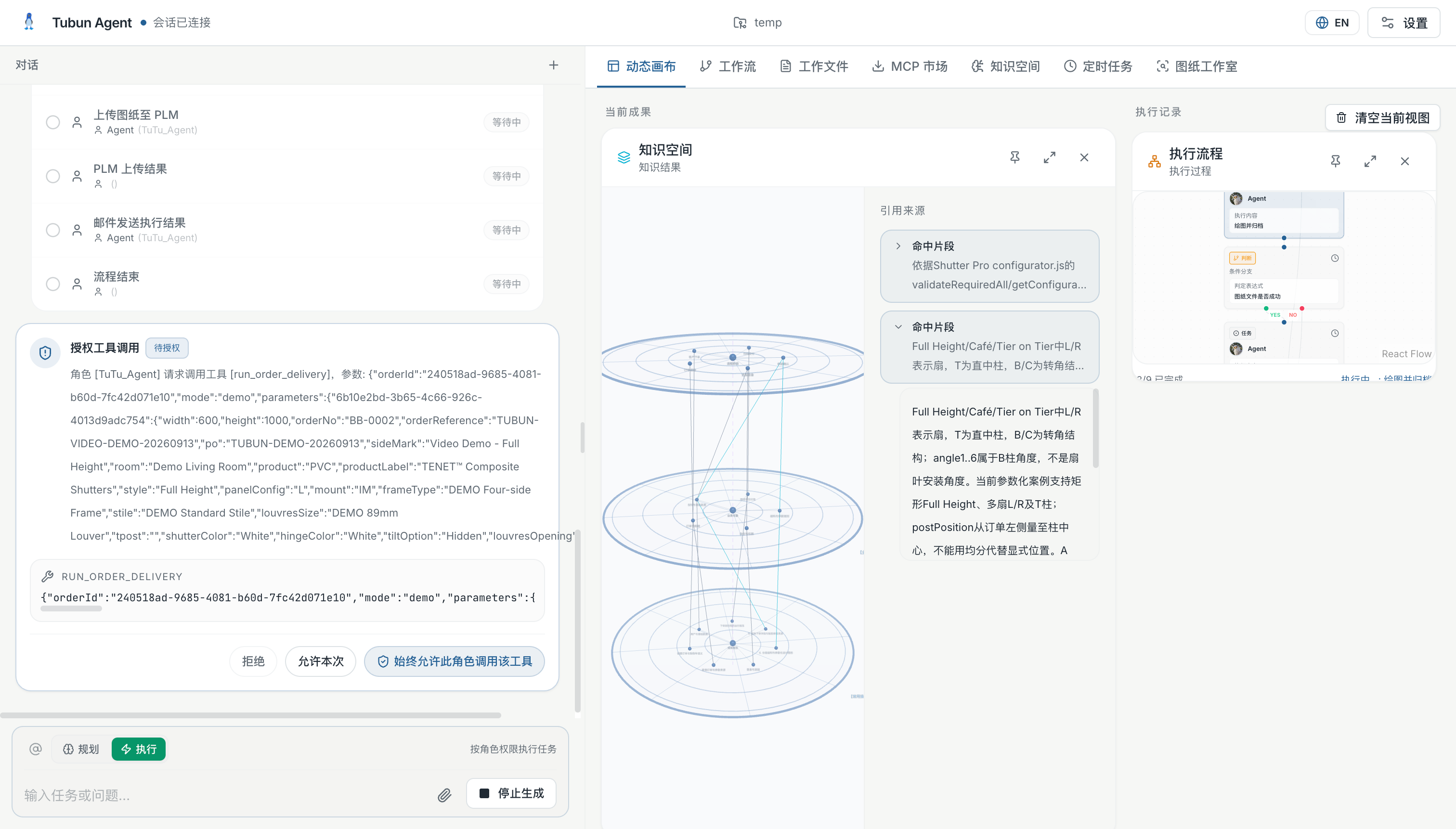
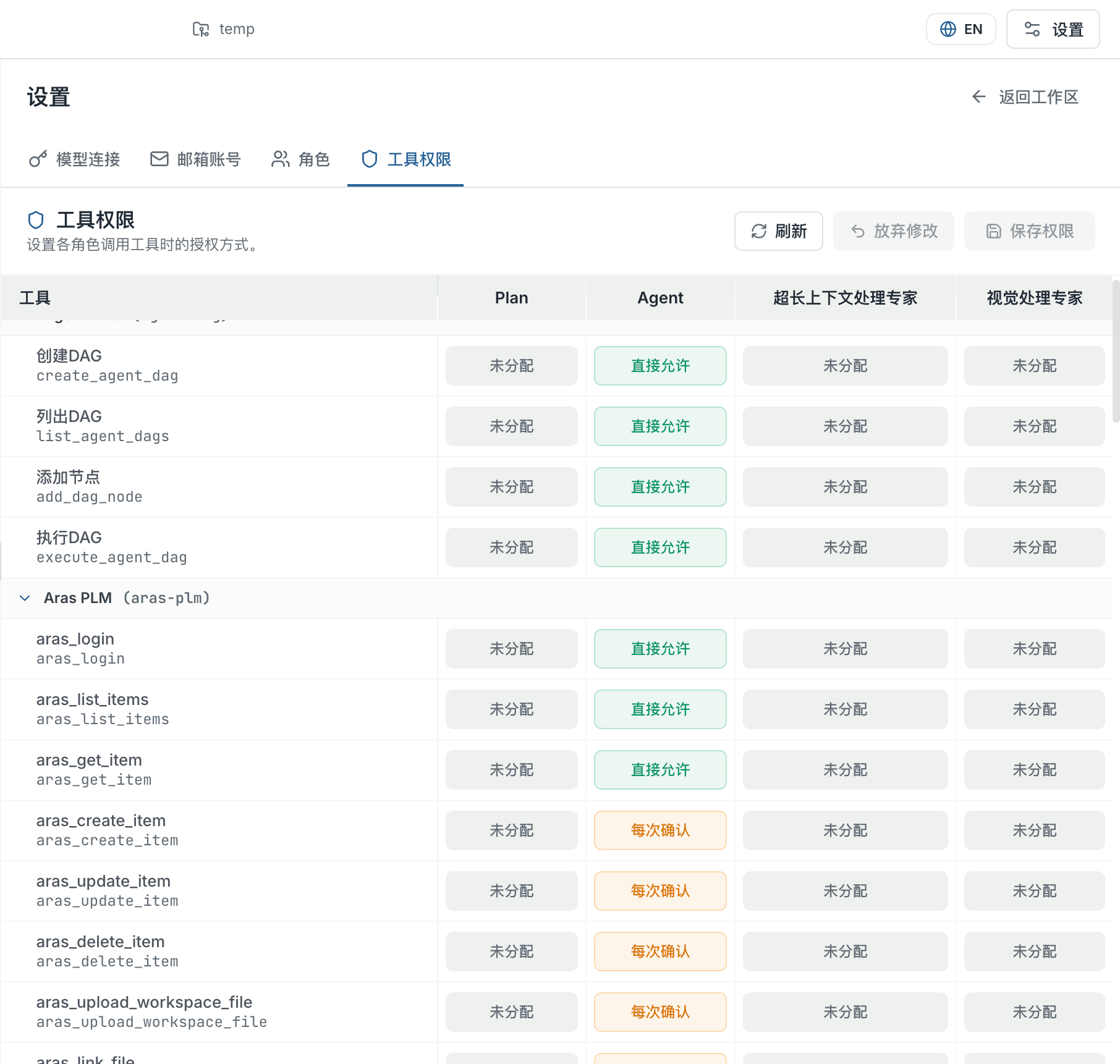
See the source. Follow the work.
Keep the conversation beside your knowledge, files and execution results. Use # to reference knowledge, / to select a file, and @ to choose a role. Define which tools each role can use and which actions need confirmation.
Explore the interfaceTurn your standards into a review.
Start with an existing drawing and an approved knowledge space. Compare it with your rules and reference images, inspect the findings, and keep the report with the source files for human review.
Explore drawing review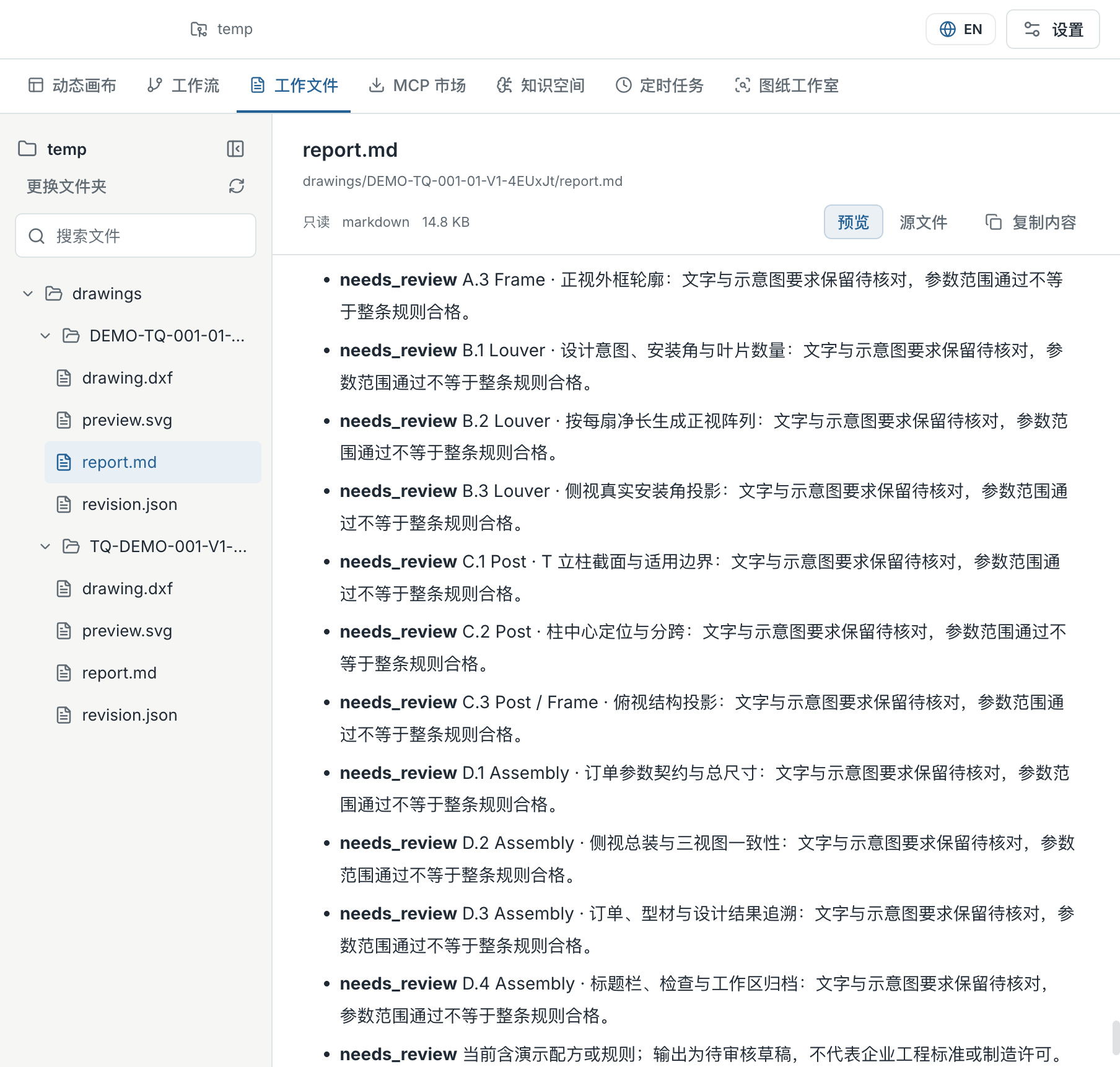
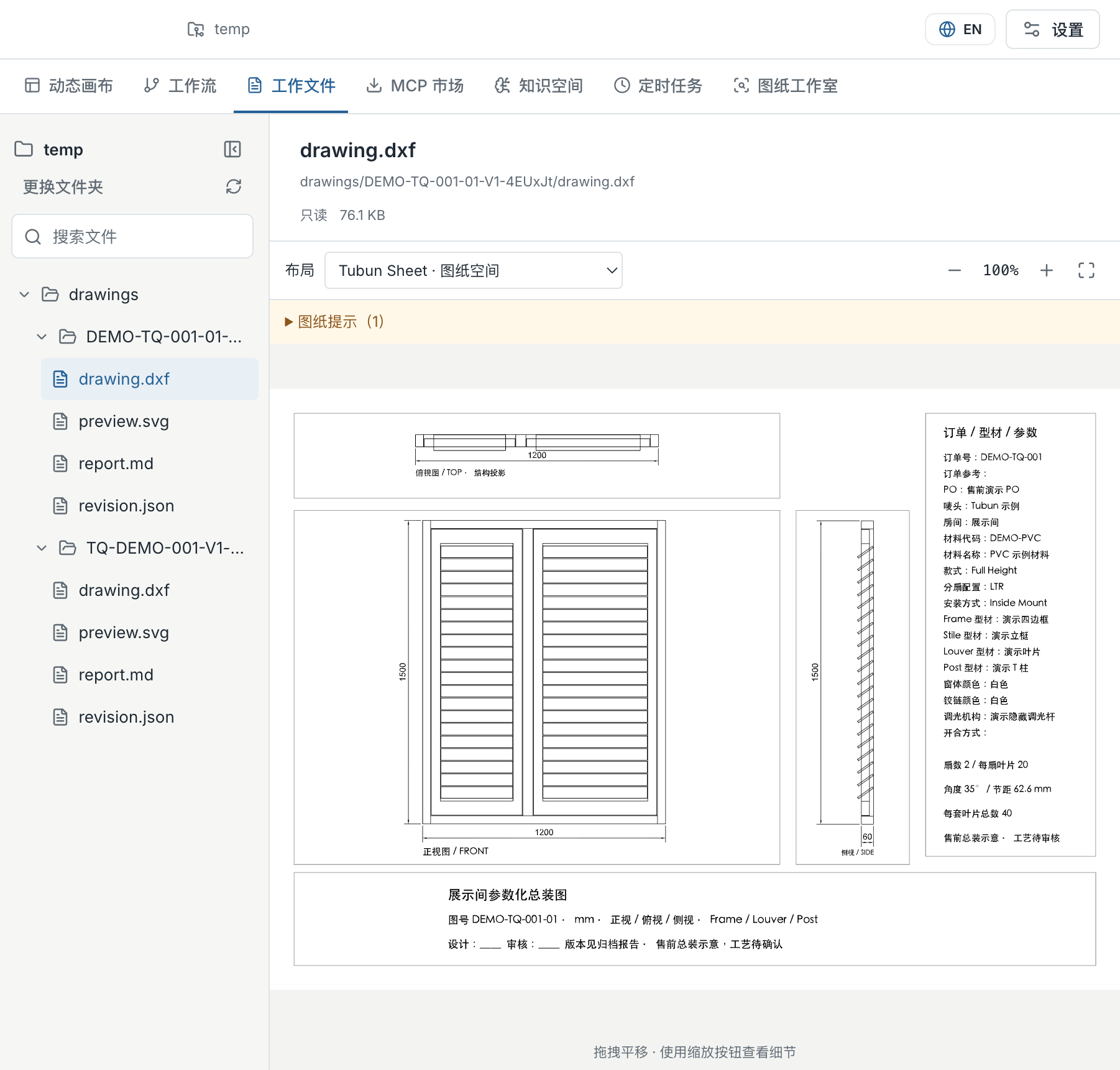
Follow a decision back to its source.
Two recorded runs with synthetic equipment data. The results are real product outputs; no physical equipment was controlled.
Explore the workspace in detail.
Product interface examples. Screens show sample configurations; available tools depend on your model, role and environment.
Knowledge space relationship view
Organize the same material across connected topics.
Knowledge entry and working rules
Keep procedures and visual references together.
Workflow canvas — interface example
Connect tasks and inspect how results move between them.
Task inputs and decision branches
Define task inputs and the paths for different outcomes.
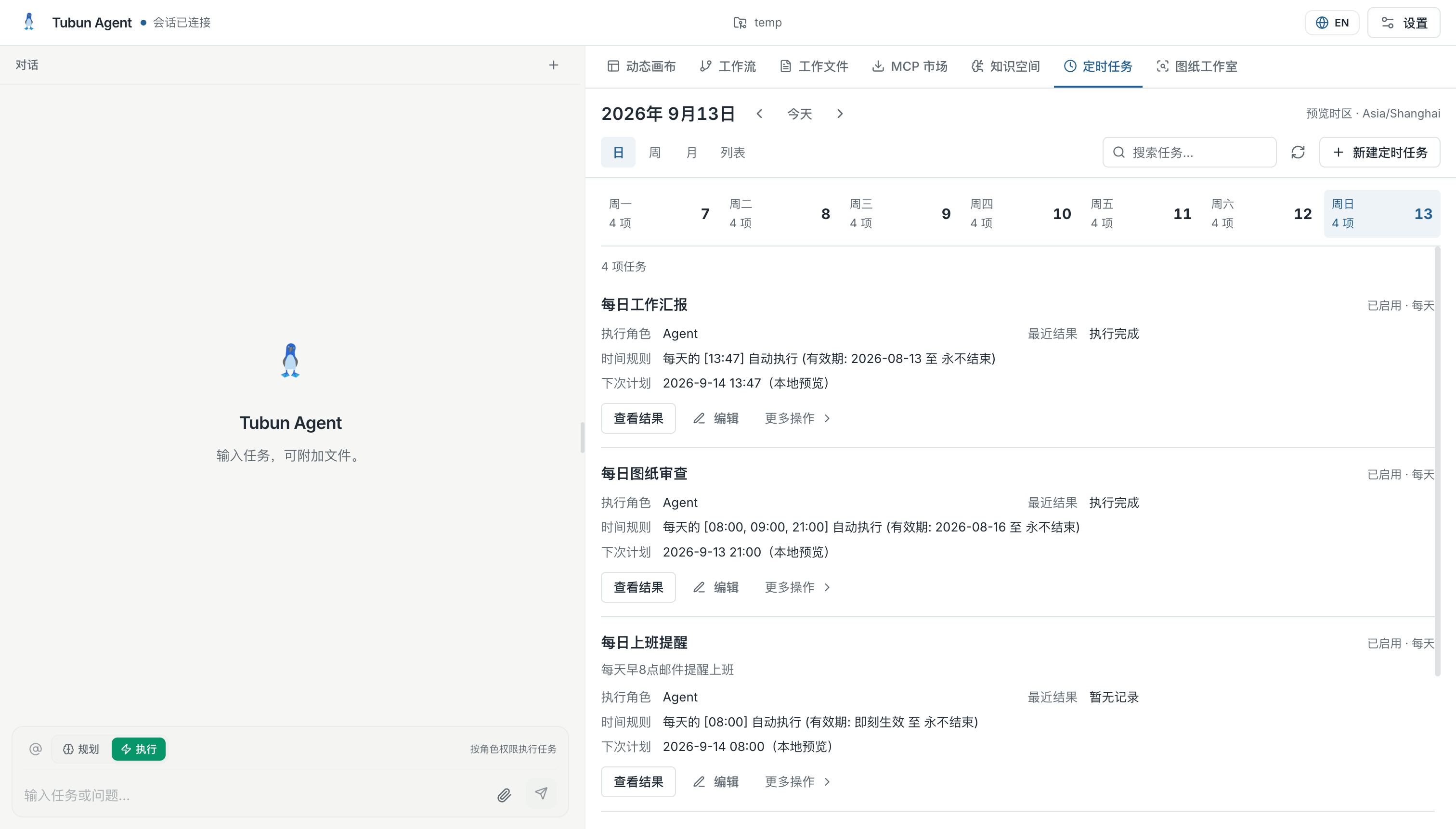
Scheduling policies
Configure recurring tasks with explicit execution rules.
Tubun Agent workspace
Keep the conversation beside knowledge, files and tools.
Role and tool access settings
Review and configure the tools available to a role.
Tool permission matrix
Choose allowed actions and those requiring confirmation.
Drawing review report — interface example
Keep findings available for review beside the source files.
Bring your first useful task.
Try a personal workspace or discuss an enterprise pilot.